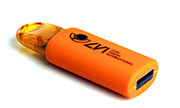
MagniLink PCViewer Standalone
article number: PCVSTA


MagniLink PCViewerTM Standalone
MagniLink PCViewerTM Standalone is a software that can be used on a Windows based PC without being connected to a MagniLink video magnifier. With the software, you can OCR-process documents and get the text read aloud by the built-in speech synthesis. You can also display the OCR processed text with our without speech in different viewing modes adapted for low vision.
Questions or order?
Functionality of MagniLink PCViewerTM Standalone:
- Different colour and brightness settings, e.g. natural and artificial colours.
- Different levels of magnification of the displayed text.
- Automatic updates (requires Internet).
- Different ways to control functions. Either via menu or keyboard shortcuts.
- Configuration of own shortcuts.
- Camera image positioned at top/front of all open applications.
- Select several views and switch between them.
- Compatible with the ZoomText and SuperNova programs.
- Notepad where you can draw, write, enlarge and pan in the image.
Fantastic notepad
The useful notepad provides possibility to draw, write, enlarge and pan in the image. You can easily choose to navigate between different images and there are several different functions for inserting text, drawing and writing with a ”regular” pen or highlighter in different colours and sizes. You can also save and open the image with your notes. The tool is, for example, excellent for marking in texts or filling in forms or exams that then easily can be saved or forwarded.
Options:
The OCR processed text can be displayed in several different picture view modes synchronized with the speech. It is possible to OCR process text from a saved picture previously taken with a connected MagniLink video magnifier, and it´s also possible to import other documents (eg PDF files) into the application to have them OCR processed. You can enlarge and navigate in the OCR-picture and the OCR result can be saved as an audio file (.wav). It is also possible to paste text straight into the application and get it read aloud.
When purchasing the video magnifier MagniLink S Premium 2, MagniLink Pro or one of our MagniLink AIR cameras, the “regular” software PCViewer is included and if you choose the option TTS the standalone feature is also included. Your Standalone license can be used on three computers at the same time. If you want to activate it on an additional computer, you must deactivate the license on one of the others.
Recommended system requirements:
- Microsoft Windows 7.
- i5 or i7 processor, 4 GB RAM, external graphics card with at least 512 MB inbuilt memory.
See video of how you activate and deactivate your MagniLink PCViewer Standalone license.
See video about the OCR-functions in MagniLink PCViewer Standalone.